About Me
- Good in Big data ecsepecially Hadoop and spark.
- Loves coding ,good at java .
- Good with Web development and Search engine optimization.
- Love to learn new things in computing and i have a community for Big Data "MAPREDUCER" where i share my knowledge in Hadoop and Spark as technical blogs Follow @ http://mapreducer.wordpress.com
- Have earned three IBM Badges in related to Big data development.
- Have received Google Adwords and Analytics certification from Google.
Get in touch with me @ seshathrisekar@gmail.com
What technologies are behind Techieheap
- Front end is made of Bootstrap,so it is responsive and compatible for all devices like computers,mobile,tablet.
- Backend used here for processing is PHP 5.
- The database used here is Mysql Database.
- AJAX is used for loading messages and posts in a single page without refreshing.
- javascript and CSS 3 is used throught the website.
- Techieheap also make use of the Cron jobs in Unix to send automated responses ,for example i used it to send birthday wishes on his.her birthday based on the day given during sign up.
Some cool Features in Techieheap
- Facebook like instant chatting and posting.
- you can set a profile picture and hear a tone for every new inbox messages.
- you can send cool stickers in messages.
- Searching the post is easy using search bar at top.
- Get system automated birthday wishes and updates.
- All posts are made SEO friendly.
- mobile optimized and responsive.
- Reset password in a Go and lots more !! sign up now.
Signing up for techieheap
go to http://techieheap.esy.es/register.php and fill an form you will get an conformation mail,click the conformtion link and get your account activated instantly and Be a part of Techie heap
How to chat in Techieheap
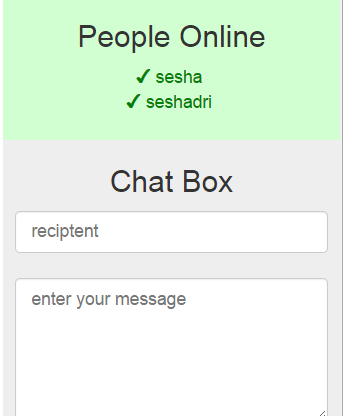
To start the chat click the name of the person whom you wanna chat with from the list shown in people online
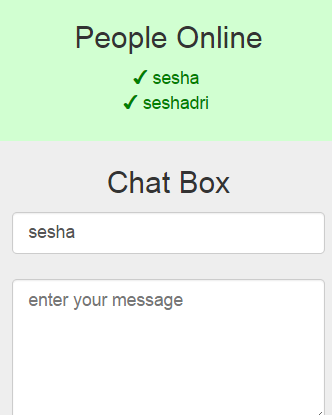
After you click on the name it will br shown in the chat box field then type the message and click send the message will be delivered to him
How to see the Conversation messages
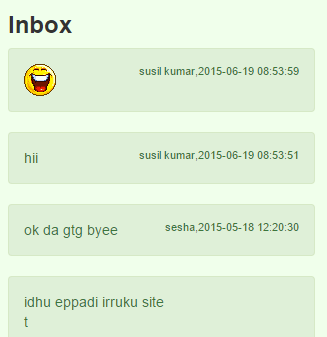
you will receive the messages in inbox section with a beep sound for every new messages,to see the full conversation between you and someone click on their message
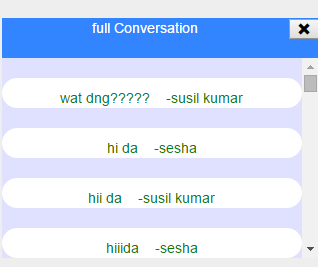
After clicking on their message a full conversation section opens up below chat box where you can find the entire conversation .